Jio STB Unlock Guide
Which box are we setting up?
What build is it on?
On the box: pen drive → My Music → Settings → Eject USB → Internal Storage → Apps → the app named just "Settings" → About → Version & Build. Type it here.
Your routes
Browse the research
The verdict
What the evidence says, model by model
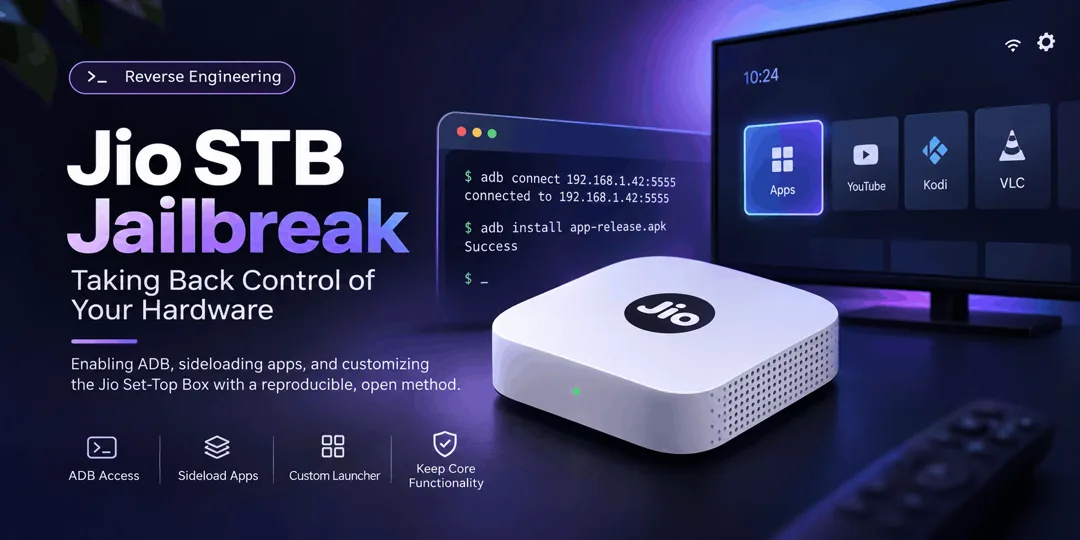
The published Jio set-top-box unlock methods we could find, checked against your two boxes: a JMSD200A and a JHSB200. Coverage is as of 14 Nov 2026 and cannot be literally complete - new reports appear weekly. Each claim is labelled by how strong its evidence is.
Your two boxes
JMSD200A 2 independent reports
ADB + sideloading reported working Nov 2026 on firmware 24.1.39 and 25.1.9 by two different people. There is also a dedicated same-model repo and a no-PC phone-only method. Root and bootloader unlock: not confirmed on this model.
JHSB200 supported on paper, censored dependency
Your exact box (build STB-JHSB200-11.3.46). Current guides added JHS support this month and one lists this model - but the only published JHS route uses a recovered CA private key (censored here), and your exact build has no independent success report. We found no leak-free route in the sources searched.
The 6 method families, ranked
1 · TR-069 ADB enable best current route
Redirects the box's own management check-in to a local server to switch on debugging. Sideload apps, clean launcher, no boot ads. No flashing. Factory-reset recovery.
2 · Root via Jio's own service model-limited
Jio ships a system daemon that runs as root and takes commands over ADB. Full root shell with no exploit on documented units.
3 · Bootloader unlock brick risk
CVE-based U-Boot unlock + Magisk. Confirmed only on JMSC200Av2 and JHSD200 v3. One researcher bricked his box.
4 · USB flashing / custom ROM old boxes only
Amlogic flash-mode tricks from 2021. Worked on pre-2022 hardware; secure boot kills it on newer boxes.
5 · UART / hardware research stage
Soldering-level console access. No completed unlock on current models.
6 · No-unlock tweaks safe, limited
Custom DNS ad-blocking, hidden settings, sleep-instead-of-off to skip boot ads. Works today on any box.
JMSD200A
Your box · AirFiber/JioFiber Android 11 unit · evidence as of 14 Nov 2026
The sideload/ADB method has two independent first-hand success reports on this exact model this month, plus one second-hand forum report and a dedicated same-model repo. Deeper mods (root, bootloader) are unconfirmed here.
Evidence log · tap any row for its source›
What you get after the unlock
Route C — no PC at all (phone + Termux) est. easiest · author claim›
Model caveat first: this route was tested by its author on the base JMSD200, not on the JMSD200A - treat it as unverified for your exact box until someone confirms it. Published 13 Nov 2026. Replaces the PC/Docker stack with a 90-line Python server in Termux on an unrooted Android phone/tablet, plus a free NextDNS profile that rewrites Jio's management hostname to the phone's hotspot IP. Also documents recovery from the "Set-Top Box Blocked" screen. Two technical findings worth knowing: this model's management flags use the Device.JioSTB. prefix (not Device.JSTB.), and the debugging flag must be sent alone in its own session or the box rejects the batch.
· Provenance: the author tested it on a JMSD200 (the base model, per the repo's own story) and extends the claim to JMSD200A. Repo created 13 Nov 2026, single author, zero third-party confirmations so far.
· Third-party DNS: it routes the box's Jio lookups through a NextDNS account you create, rewritten to your phone. That is an outside service in the middle; you can delete the rewrites afterwards, and the guide says to.
· No leaked keys: unlike the JHS route, this uses no stolen certificate key.
· Downloaded software: its post-unlock script fetches and installs third-party apps (Shevery/Shizuku, Glassio launcher, SmartTube) and disables Jio's update + management client. Review the script before running; disabling updates means missing security patches.
· Risk the author hit himself: his box was blocked mid-process ("Set-Top Box Blocked" screen) during development. He recovered it, but expect friction, not a smooth ride.
Route B — PC hotspot, no router easy · author-tested on JMSD200A›
A same-model repo automates the whole thing with one script; the PC's own mobile hotspot replaces the router. You do 3 manual things: turn the PC hotspot on, connect the STB to it, reboot the STB.
Route A — PC + your router best-proven · matches both Nov reports›
Needs: Windows PC, Docker Desktop, Python 3, Git, a USB pen drive (any, empty), and your phone's hotspot or tethering if you want internet on the PC mid-setup.
adb devices should show the box as device.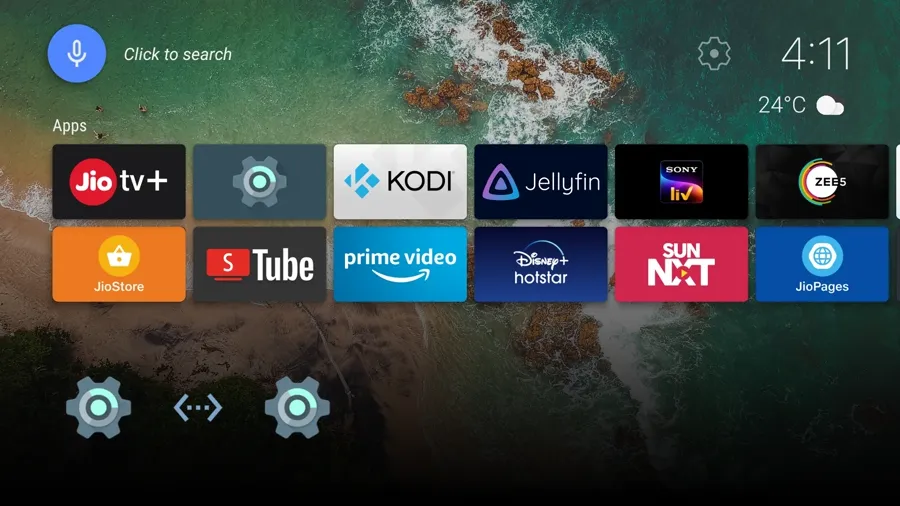
sideload-jiostb — main guide 381★ Issue #6 — the two JMSD200A success reports Jio-Datsugoku — beginner version of the same method 22★
Troubleshooting - what actually goes wrong · from the issue tracker›
Deeper mods on JMSD200A — status›
The documented root shell targets a unit called "JioSTB C200A (ohm)" on the same chip family; a third-party teardown labels the JMSD200A V2 with the same "ohm" codename. Nobody has published the root shell working on a JMSD200A, so treat it as a lead, not a feature. The bootloader-unlock CVE is tied to the box's security-patch date and is documented only for JMSC200Av2.
JHSB200
Your second box · JioOS 2.0 · build STB-JHSB200-11.3.46 · security patch 2024-06-01 · kernel 4.9.269 (from your About screen)
Where this box stands, separated honestly: current guides do claim JHS-series support - added this month - and one lists your exact model. The catch: the only published JHS route mints a fake certificate chain using a recovered CA private key, which is censored here. For your exact build there is no independent success report - one failure report exists on an older build. No leak-free route was found in the sources searched (14 Nov 2026).
Evidence log - JHSB200 and its route · tap any row for its source›
Bootloader unlock on this box
The published bootloader unlock (CVE-2024-31317, in Housekeeping-PoC and 4sudosu's toolkit) refuses your patch level by its own check: the script hardcodes a cutoff of 2024-06-01 - "devices on or past that patch level have the fix and this exploit will not work" - and your JHSB200 reports exactly 2024-06-01. That is the script declining to run, not independent proof that no exploit exists. Housekeeping-PoC separately warns its method "may not work on JHS series".
Widevine L1 note (model-specific, not a promise): the 4sudosu script comments say L1 keys survived unlocking on a C200A (S905X4) because they live in the TEE, and that other models may lose L1 (dropping streams to 480p). Nothing is known for JHSB200 either way.
Other JHS boxes, for context›
Suffix by suffix›
Not your box: JHSD200 v3 — the one fully-rootable JHS›
Massacre80/jio-stb-root-tools verified 2 Nov 2026
Root, bootloader unlock, backup/restore and Magisk tooling confirmed end-to-end on exactly the JHSD200 v3 ("franklin"), JioOS 2.0 / Android 11, build 11.3.46. It works through the box's own TR-069 native command channel after ADB is enabled, then patches the boot image with Magisk.
Not your box: JHSC200 v5 — current picture›
Everything checked is closed: developer options and USB debugging hidden, package installer disabled ("No apps found to open this file"), USB stick detected but not mountable for apps, recovery stripped to reboot + factory reset, fastboot stripped, USB Burning Tool doesn't detect the board, eMMC-short tricks unsolved. One XDA member reached "worldcup mode" on a jhs200v3 but flashing failed at the USB status stage.
Official recovery reference›
Jio's own factory-reset instructions explicitly cover the JHSB200 (alongside JHSC200/JHSD200) - useful if anything ever goes wrong.
Jio official: factory reset, JHSD200 / JHSC200 / JHSB200 (PDF)
What works on any JHS box today (no unlock)›
All 6 methods
What each one actually is, enables and risks
Fake management server → ADB current best
Details, steps & evidence
How: the box asks Jio's TR-069 server at boot whether debugging is allowed. A local server (GenieACS + TLS proxy + DNS rewrite on your own network) answers instead and flips the flags: USB debugging on, updates off.
Enables: sideloading, third-party launcher, boot-ad removal, debloat, on-box app stores. Not: root, bootloader, ROM.
Risk: no flashing; guides document factory-reset recovery. Models: JMSC200Av2, JMSB200A, JMSK200A (verified); JMSD200A (2 independent reports); JHS series (mainline support since 11 Nov; JHSC200 v1 verified - but via the censored certificate route; JHSB200 guide-claimed with one failure report on an older build); base JMSC200A + JMSB200A v1 on firmware 25.1.9 (reported failing — hardcoded server).
sideload-jiostb 381★ Housekeeping-PoC (origin research) 271★ STB-Comprehensive-Guide (direct-Ethernet variant) 70★ Technical writeup, 4 Nov 2026
Jio's own daemon gives root post-ADB
Details, steps & evidence
How: Jio's SDK native service runs as uid 0 (root), accepts binder calls from the ADB shell with no caller check, and passes a parameter straight to a shell. No CVE, no exploit — documented on a "JioSTB C200A" S905X4 unit, Nov 2026.
Enables: any root command, boot-image extraction for Magisk. Requires: method 1 first. Model coverage: not established beyond the documented unit; same-codename lead for JMSD200A is unverified.
CVE-2024-31317 → U-Boot unlock can brick
Details, steps & evidence
How: an Android zygote injection (fixed in Google's June 2024 bulletin) escalates to write the U-Boot environment: unlock flag + SELinux permissive. Then Magisk via a patched boot image.
Limits (from the authors): one attempt per boot; patch date decides eligibility; U-Boot fastboot is heavily restricted; the lead author bricked his own box. Confirmed: JMSC200Av2 (Housekeeping-PoC) and JHSD200 v3 (Massacre80 toolkit, via a different tr069native path). Nothing else.
Housekeeping-PoC jio-stb-root-tools (JHSD200 v3) CVE-2024-31317 reference
2021-era flash-mode trick old hardware only
Details, steps & evidence
How: exploit the Amlogic chip's USB flashing protocol to write a ported Mi Box Android TV system image. Worked on: 2021 C200/D200 (XDA), and pre-2022 JHSD200 v2 / JHSC200 v1 per a TechEnclave flash guide.
Today: newer boxes ship secure boot, stripped fastboot, signed-only recovery and eFuse password locks ("Need Password: 1" on S905X2). A JHSD200 got LineageOS 20 flashed and hung at the boot logo — signed-vbmeta problem, box effectively bricked. Custom-ROM attempts also risk permanent Widevine L1 → L3 loss (480p streaming cap).
XDA, Sep 2021 TechEnclave: generic Android TV on pre-2022 boxes TechEnclave p2: LineageOS attempt + eFuse lock
Console pins + USB-UART adapter research stage
Details, steps & evidence
How: open the case, find TX/RX/GND pads, attach a CH340 adapter, interrupt boot for a U-Boot console. Reached on JMC20211 (Jun 2025) — a custom image was flashed but never booted ("transaction failed" binder errors). On JMSD200A the exposed UART only prints a co-processor log and accepts no input. eMMC pin-shorting to force flash mode: timing unsolved.
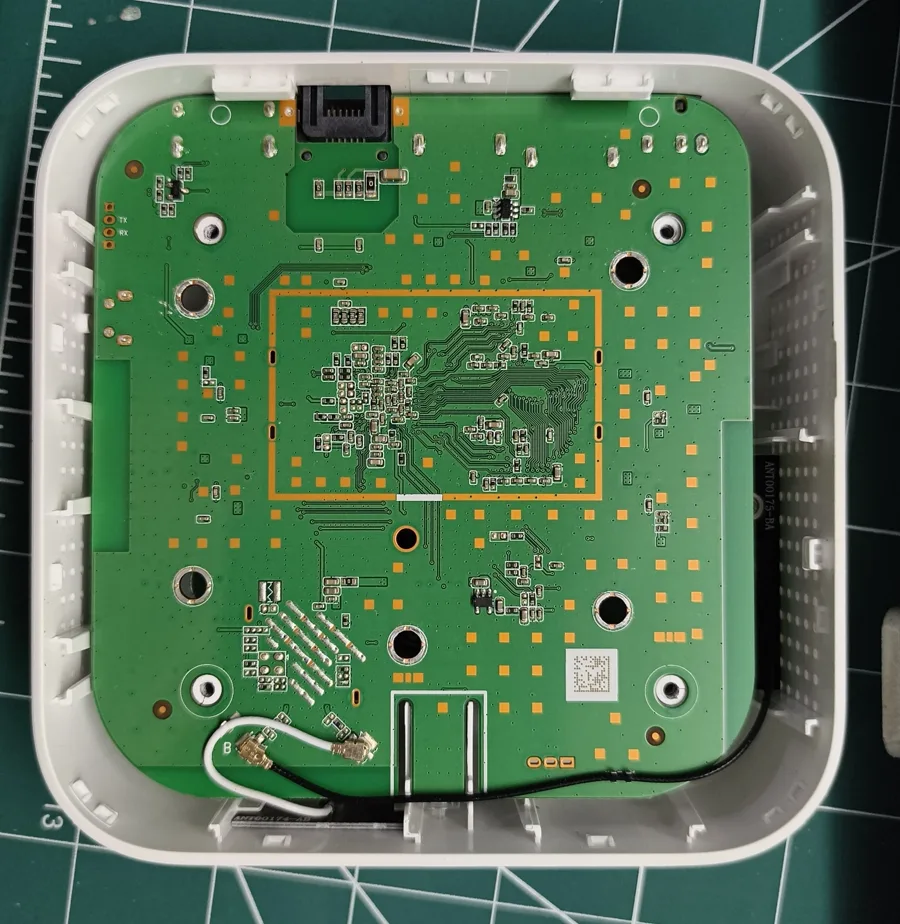
XDA: JIO STB ROM Change (JMC20211) Full hardware teardown gallery
Hidden settings & DNS documented on several models
Details, steps & evidence
Includes: hidden stock settings via the USB trick; custom DNS (NextDNS/AdGuard) for ad-blocking; hotspot mode; sleep-instead-of-shutdown to skip boot ads; router-level DNS for the whole home. On the newest TeleOS builds the developer menu opens but ADB toggles are removed from it.
India Broadband Forum: hidden options guide r/Jio: startup-ads workarounds
Model matrix
Every Jio STB model with public modding evidence
V = verified working · R = reported (not repeated) · C = author/repo claim · X = failed/locked · ? = no evidence
| Model | ADB sideload | Root | BL unlock | Custom ROM |
|---|---|---|---|---|
| JMSC200Av2 | V | V | V | ? |
| JMSB200A | V | ? | C | ? |
| JMSD200A yours | R×2 | lead | ? | X |
| JMSK200A | V | ? | ? | ? |
| JMSC200A (base) | 25.1.9 fails | ? | ? | ? |
| JMSC200A2_J | ? | ? | ? | ? |
| JHSC200 v1 | V* | C | X | pre-22 |
| JHSC200 v2 | C* | ? | ? | ? |
| JHSC200 v5 | X | X | X | X |
| JHSB200 | F* | ? | ? | ? |
| JHSB300 | ? | ? | ? | ? |
| JHSD200 v1 | old | old | old | pre-22 |
| JHSD200 v2 | old | ? | ? | pre-22 |
| JHSD200 v3 | V* | V | V | boot fail |
| JMC20211 | ? | ? | UART | boot fail |
| C200 / D200 (2021) | V | ? | old | V (MiBox port) |
* published JHS sideload route depends on a leaked CA certificate key — not recommended, no steps provided. "F*" = one same-model failure report (build 11.0.20, Nov 13) plus one guide-author support claim that relies on the leaked-key route. "old/pre-22" = 2021-2023 era methods on early hardware, mostly closed by secure boot now. "boot fail" = a custom image was flashed but never booted successfully.
Sources
Everything this guide is built from · checked 14 Nov 2026
GitHub, by stars›
ilikechocopies/sideload-jiostb 381★ · main sideload guide JFC-Group/Housekeeping-PoC 271★ · original research + root + BL unlock ramneet4002/STB-Comprehensive-Guide 70★ · Ethernet variant + launcher RookieEnough/Jio-Datsugoku 22★ · beginner guide, JHS+JMS shreyask21/Jio_STB_Ads_Skip 10★ · boot-ad skip, 2024 bhatyassir/jio-stb-nas-server 9★ · box as NAS/Emby server nav9v/jio-airfiber-stb-teardown 7★ · hardware gallery dc-voltage JMSC200A report 5★ · forensic writeup RookieEnough/Datsugoku-GUI 4★ · desktop control app Massacre80/jio-stb-root-tools 2★ · JHSD200 v3 root, verified Aashish-Jha-11/jio-stb-adb-toolkit 2★ · honest all-models hub 4sudosu/JioSTB-JMSD200A-Unlock 1★ · JMSD200A-exact jadedFella/jhsc200-sideload JHSC200 path sideload-jiostb issue #24 JHSB200 owner reports, Nov 2026 issue #6 JMSD200A success reports + same-model tips issue #10 + VShian fix fork cwmp.9007 date-format fix, tested issue #13 USB-trick settings confusion + Win11 cert error issue #15 "box never calls home" - isolation fix issue #19 JHSD200 discussion, Monet success claim JFC-Group/AF-Customisation 80★ · AirFiber router wiki incl. "Understand TR-069" background Jio official factory-reset PDF covers JHSB200 MuthamizhanR/jiostb-zero-pc-unlock no-PC Termux method ShazuxD/device_jio_franklin TWRP tree, JHSD200 Otus9051/jiostb-extract 5★ · 2021 firmware extractor JFC-Group org router+STB ecosystem, 14 repos
XDA›
How to enable ADB & sideload on Jio STB Sep 2021 article JIO STB ROM Change JMC20211 UART, Jun 2025, 100+ replies JHSC200 v5 unable to flash Jul 2025 — the lockdown thread Dev options open but ADB toggles missing Tele OS 11-2.94 Install third-party apps on JHSD200 2020, original thread
Note: Reddit reports say several older XDA unlock threads were taken down after Jio legal notices; two classic threads now show as closed/deleted.
Forums›
TechEnclave: Jio STB Unlock Research JMSD200A teardown, Oct–Nov 2026 TechEnclave: generic Android TV on pre-2022 boxes India Broadband Forum: 2021 sideload thread incl. stock-revert confirmation IBF: hidden options, AdGuard DNS, hotspot Jan 2025 OnlyTech: sideload thread 2020–Nov 2026 replies OnlyTech: TeleOS rebrand + firmware rollouts
Videos›
How to sideload apps and APK bundles on Jio Tele OS TVs Mar 2025 · Jio TVs, not STBs - method overlaps the hidden-settings path Install Mi-Box firmware in Jio Fiber STB 2022 · the old flash method - closed on current boxes, shown for context Jio 4K Set Top Box Unlock (Shorts) short-form · unverified claims, treat as a lead only Install GenieACS (TR-069 server) 2023 · background tooling for Route A, not Jio-specific
Checked 14 Nov 2026: we found no quality video walkthrough of the current TR-069 method for these exact models. Most "Jio STB unlock" videos are the dead 2021-22 flash trick or unrelated hardware (e.g. Indonesian B860H boxes). The written guides below are more current and more honest.
Reddit›
r/IndiaTech: stuck with this locked OS? May 2026, 109↑ r/IndiaTech: anyone flashed a custom OS? Mar 2026 — answer: no on new boxes r/Jio: startup ads workarounds Jul 2026 r/IndianGaming: how do I sideload Apr 2025 r/Jio: any way to sideload? Dec 2025 r/GadgetsIndia: Crunchyroll on Jio STB r/iptv_strong: JHSD200 v3 unlock request Jul 2026 — later solved, see root-tools
Articles & people›
abhishek.log: Reclaiming the Jio STB 4 Nov 2026 technical writeup digit.in: sideload on Jio Tele OS Mar 2025, TV-verified AirFiber STB teardown site high-res board photos CVE-2024-31317 reference patched June 2024
Named researchers: Bihaan Sen, ak_0o7, Otus9051 (original PoC); Vishal Beniwal (u/ilikechocopies, Windows guide); Pavit Chhabra (@mesosan16 on X, JHS certificate research); Sandip Bhardwaj (ACS tooling); RealEngineer + aidanmacgregor (2021 XDA method).
Image credits›
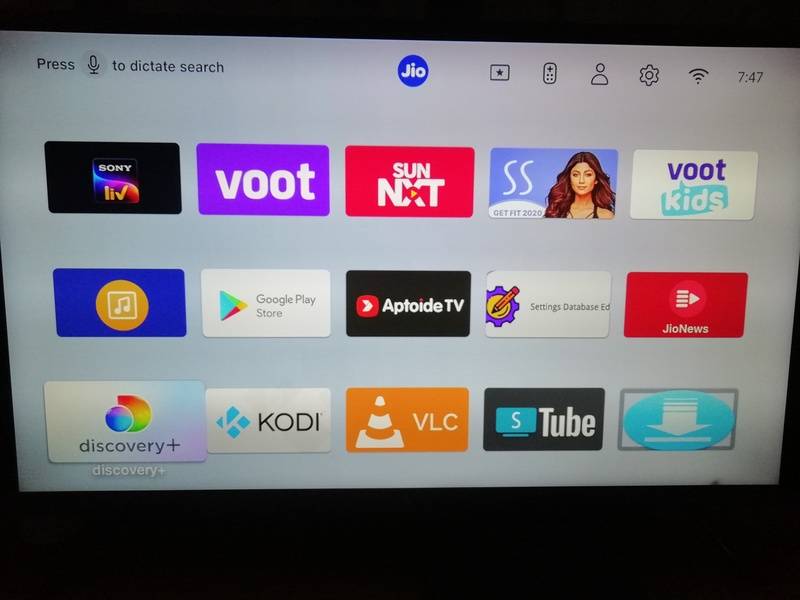
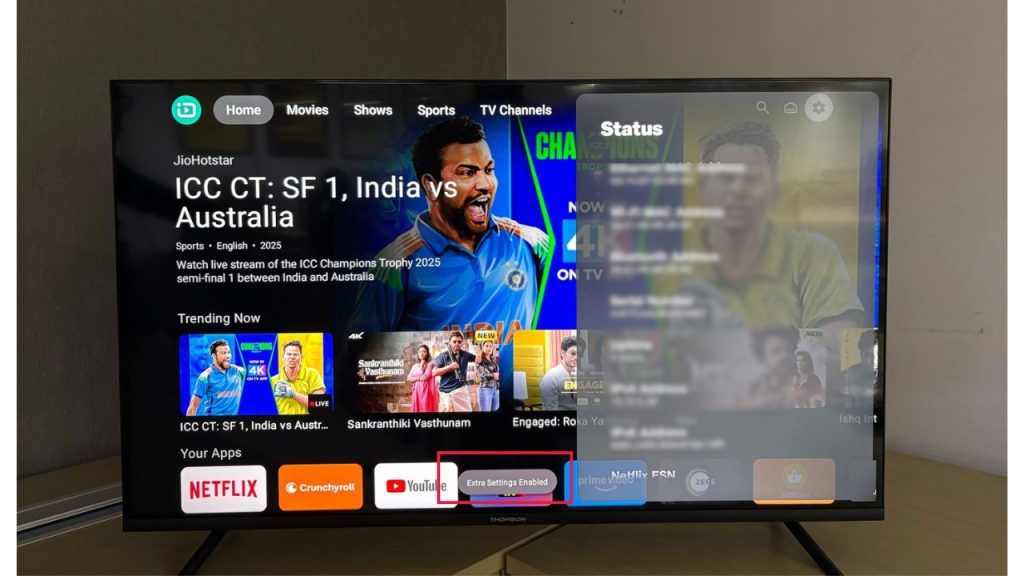
Box + sideload photos: XDA (2021). Hero illustration: abhishek.log. Board photos: nav9v/jio-airfiber-stb-teardown. Launcher screenshot: India Broadband Forum user ackr8 (2021). TeleOS screens: digit.in. All used for research documentation with source links.