Jio STB Unlock Guide
Research compiled 14 Nov 2026 · every claim labelled by evidence strength
Three steps: pick your box, check its firmware, compare its routes - easiest first. Easiest means least equipment and fewest steps, not safest or best-proven; every card shows its evidence so a convenient but unproven route can't look like the winner.
1 · Which box are we unlocking?
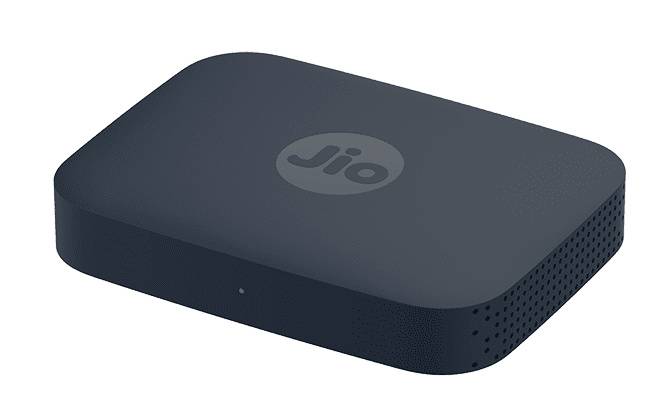
JMSD200A
AirFiber / JioFiber, Android 11
3 routes documentedJHSB200
"HYBRID STB JHS B200", JioOS 2.0
no verified route found2 · Check its firmware (Settings → About)
Open the stock Settings on the box (pen drive → My Music → Settings → Eject USB → Internal Storage → Apps → Settings gear) → About. Note the Version & Build and Security Patch Level.
3 · Your routes, easiest first
JMSD200A · Route C author claim
No computer at all - but single-author, tested on the base JMSD200, not confirmed on your JMSD200A. Read its dependency notes first.
JMSD200A · Route B author-tested on JMSD200A
A same-model repo automates the stack; you do 3 manual steps.
JMSD200A · Route A best-proven
The most equipment, and the strongest evidence: two different people report success on this exact model this month.
JHSB200 honest answer: nothing verified for your build
The only "supported" listing depends on a leaked certificate key - not recommended, no steps here. The only independent JHSB200 report we found is a failure (older build). What you can do today without unlocking is on the JHSB200 page.
The verdict
What the evidence says, model by model
The published Jio set-top-box unlock methods we could find, checked against your two boxes: a JMSD200A and a JHSB200. Coverage is as of 14 Nov 2026 and cannot be literally complete - new reports appear weekly. Each claim is labelled by how strong its evidence is.
Your two boxes
JMSD200A 2 independent reports
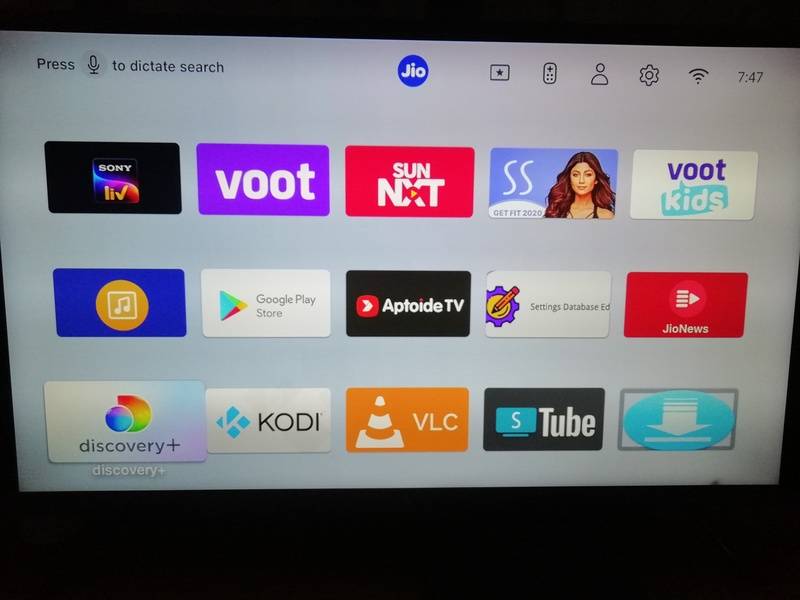
ADB + sideloading reported working Nov 2026 on firmware 24.1.39 and 25.1.9 by two different people. There is also a dedicated same-model repo and a no-PC phone-only method. Root and bootloader unlock: not confirmed on this model.
JHSB200 no verified route found
Your exact box, identified from your About screen (build STB-JHSB200-11.3.46). One guide author lists it as supported, but that route depends on a leaked certificate key, so we don't recommend it. In the sources we searched, the only independent same-model report is a failure, and we found no leak-free unlock published for the JHSB200.
The 6 method families, ranked
1 · TR-069 ADB enable best current route
Redirects the box's own management check-in to a local server to switch on debugging. Sideload apps, clean launcher, no boot ads. No flashing. Factory-reset recovery.
2 · Root via Jio's own service model-limited
Jio ships a system daemon that runs as root and takes commands over ADB. Full root shell with no exploit on documented units.
3 · Bootloader unlock brick risk
CVE-based U-Boot unlock + Magisk. Confirmed only on JMSC200Av2 and JHSD200 v3. One researcher bricked his box.
4 · USB flashing / custom ROM old boxes only
Amlogic flash-mode tricks from 2021. Worked on pre-2022 hardware; secure boot kills it on newer boxes.
5 · UART / hardware research stage
Soldering-level console access. No completed unlock on current models.
6 · No-unlock tweaks safe, limited
Custom DNS ad-blocking, hidden settings, sleep-instead-of-off to skip boot ads. Works today on any box.
JMSD200A
Your box · AirFiber/JioFiber Android 11 unit · evidence as of 14 Nov 2026
The sideload/ADB method has two independent first-hand success reports on this exact model this month, plus one second-hand forum report and a dedicated same-model repo. Deeper mods (root, bootloader) are unconfirmed here.
Evidence log
| When | Who | Result |
|---|---|---|
| 28 Oct 2026 | TechEnclave user, quoting a friend | second-hand stage1 completed on JMSD200A V2, apps installable |
| 2 Nov 2026 | MrBlack16 (GitHub) | first-hand works on firmware 24.1.39, "no change required in script", used the standard JMSC/JMSB option |
| 8 Nov 2026 | RajendranDinesh (GitHub) | first-hand works on firmware 25.1.9 (Android 11, 32-bit) |
| 7 Nov 2026 | 4sudosu (repo author) | author claim dedicated JMSD200A repo; tested on Android 11, security patch 2024-06-05; PC-hotspot variant verified |
| 13 Nov 2026 | MuthamizhanR (repo author) | author claim no-PC method (Android phone + Termux) for JMSD200/JMSD200A, including recovery from "Set-Top Box Blocked" screen |
What you get after the unlock
Route C — no PC at all (phone + Termux) est. easiest · author claim
Model caveat first: this route was tested by its author on the base JMSD200, not on the JMSD200A - treat it as unverified for your exact box until someone confirms it. Published 13 Nov 2026. Replaces the PC/Docker stack with a 90-line Python server in Termux on an unrooted Android phone/tablet, plus a free NextDNS profile that rewrites Jio's management hostname to the phone's hotspot IP. Also documents recovery from the "Set-Top Box Blocked" screen. Two technical findings worth knowing: this model's management flags use the Device.JioSTB. prefix (not Device.JSTB.), and the debugging flag must be sent alone in its own session or the box rejects the batch.
· Provenance: the author tested it on a JMSD200 (the base model, per the repo's own story) and extends the claim to JMSD200A. Repo created 13 Nov 2026, single author, zero third-party confirmations so far.
· Third-party DNS: it routes the box's Jio lookups through a NextDNS account you create, rewritten to your phone. That is an outside service in the middle; you can delete the rewrites afterwards, and the guide says to.
· No leaked keys: unlike the JHS route, this uses no stolen certificate key.
· Downloaded software: its post-unlock script fetches and installs third-party apps (Shevery/Shizuku, Glassio launcher, SmartTube) and disables Jio's update + management client. Review the script before running; disabling updates means missing security patches.
· Risk the author hit himself: his box was blocked mid-process ("Set-Top Box Blocked" screen) during development. He recovered it, but expect friction, not a smooth ride.
Route B — PC hotspot, no router easy · author-tested on JMSD200A
A same-model repo automates the whole thing with one script; the PC's own mobile hotspot replaces the router. You do 3 manual things: turn the PC hotspot on, connect the STB to it, reboot the STB.
Route A — PC + your router best-proven · matches both Nov reports
Needs: Windows PC, Docker Desktop, Python 3, Git, a USB pen drive (any, empty), and your phone's hotspot or tethering if you want internet on the PC mid-setup.
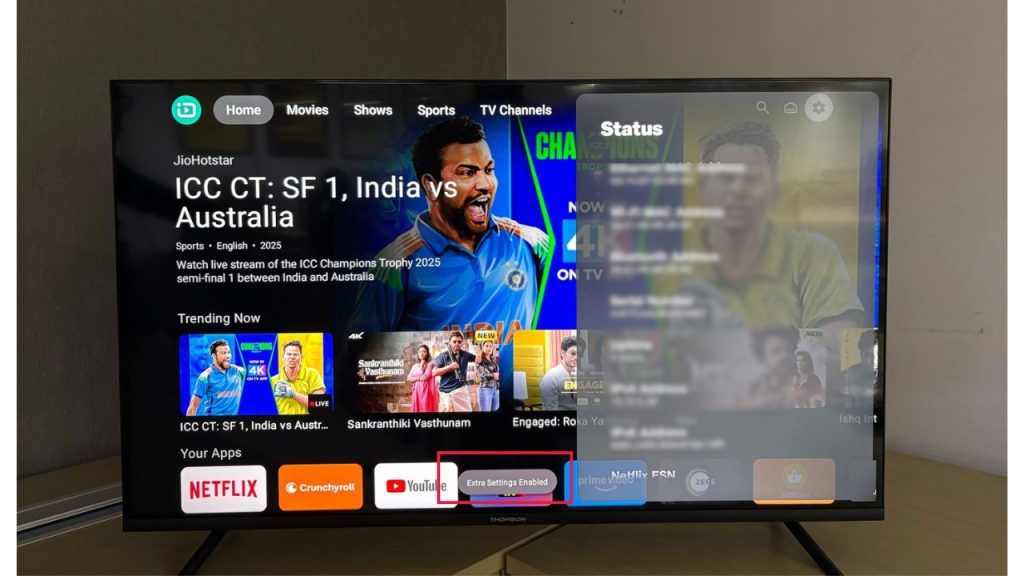
adb devices should show the box as device.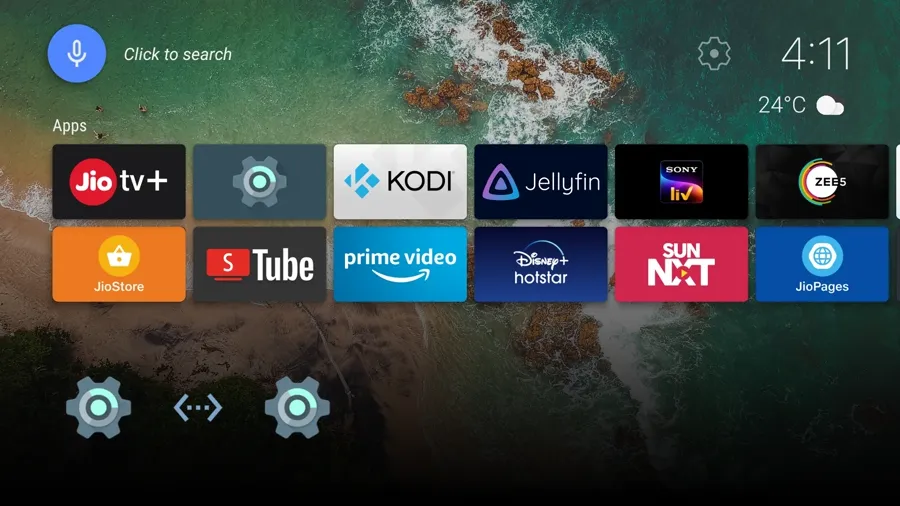
sideload-jiostb — main guide 381★ Issue #6 — the two JMSD200A success reports Jio-Datsugoku — beginner version of the same method 22★
Deeper mods on JMSD200A — status
The documented root shell targets a unit called "JioSTB C200A (ohm)" on the same chip family; a third-party teardown labels the JMSD200A V2 with the same "ohm" codename. Nobody has published the root shell working on a JMSD200A, so treat it as a lead, not a feature. The bootloader-unlock CVE is tied to the box's security-patch date and is documented only for JMSC200Av2.
JHSB200
Your second box · JioOS 2.0 · build STB-JHSB200-11.3.46 · security patch 2024-06-01 · kernel 4.9.269 (from your About screen)
Verdict for this exact box: we have not verified a recommendable route for this exact build. The one guide that lists the JHSB200 as supported gets there through a leaked certificate-signing key, which we will not walk you through. In the sources we searched, the only independent report from a JHSB200 owner is a failure - on an older build than yours. Details and sources below.
Evidence log - JHSB200 specifically
| When | Who | Result |
|---|---|---|
| 22★ guide | RookieEnough (Jio-Datsugoku) | author claim compatibility table lists "JHSB200 - Verified - all builds". But the JHS route in that guide mints a forged eMudhra certificate chain (its own file names say so), so the claim doesn't translate into a route we can recommend. |
| 9 Nov 2026 | tekimanish09 (GitHub issue #24) | question JHSB200 owner ("HYBRID STB JHS B200", build STB-JHSB200-11.0.20, patch 2023-12-05) asked whether the JHSC200 method works on this model. |
| 13 Nov 2026 | PROBOTFREE (same issue) | failed "No i tried and didn't work may be it is just for jhsb200a" - hints a JHSB200A variant exists; yours is JHSB200. |
| 13 Nov 2026 | tekimanish09 (same issue) | failed "I tried many exploits and same no leads whatsoever." |
Other JHS boxes, for context
Suffix by suffix
| Model | Status | Evidence |
|---|---|---|
| JHSC200 v1 | sideload verified* | jadedFella repo: verified end-to-end on build stb-jhcs200-11.3.46 |
| JHSC200 v2 | guide-listed | Jio-Datsugoku table lists v1 & v2 verified, build 11.3.46+ |
| JHSD200 v3 | root confirmed | Massacre80 root toolkit: end-to-end test 2 Nov 2026, build 11.3.46, Magisk + bootloader unlock |
| JHSC200 v5 | locked | XDA thread: no ADB, signed-only recovery, USB Burning Tool can't detect it |
| JHSB300, JHSD202 | unknown | no public reports either way |
Not your box: JHSD200 v3 — the one fully-rootable JHS
Massacre80/jio-stb-root-tools verified 2 Nov 2026
Root, bootloader unlock, backup/restore and Magisk tooling confirmed end-to-end on exactly the JHSD200 v3 ("franklin"), JioOS 2.0 / Android 11, build 11.3.46. It works through the box's own TR-069 native command channel after ADB is enabled, then patches the boot image with Magisk.
Not your box: JHSC200 v5 — current picture
Everything checked is closed: developer options and USB debugging hidden, package installer disabled ("No apps found to open this file"), USB stick detected but not mountable for apps, recovery stripped to reboot + factory reset, fastboot stripped, USB Burning Tool doesn't detect the board, eMMC-short tricks unsolved. One XDA member reached "worldcup mode" on a jhs200v3 but flashing failed at the USB status stage.
Official recovery reference
Jio's own factory-reset instructions explicitly cover the JHSB200 (alongside JHSC200/JHSD200) - useful if anything ever goes wrong.
Jio official: factory reset, JHSD200 / JHSC200 / JHSB200 (PDF)
What works on any JHS box today (no unlock)
All 6 methods
What each one actually is, enables and risks
Fake management server → ADB current best
How: the box asks Jio's TR-069 server at boot whether debugging is allowed. A local server (GenieACS + TLS proxy + DNS rewrite on your own network) answers instead and flips the flags: USB debugging on, updates off.
Enables: sideloading, third-party launcher, boot-ad removal, debloat, on-box app stores. Not: root, bootloader, ROM.
Risk: no flashing; guides document factory-reset recovery. Models: JMSC200Av2, JMSB200A, JMSK200A (verified); JMSD200A (2 independent reports); JHSC200 v1 (verified but via leaked-key certs — not recommended); JHSB200 (reported failing, issue #24); base JMSC200A + JMSB200A v1 on firmware 25.1.9 (reported failing — hardcoded server).
sideload-jiostb 381★ Housekeeping-PoC (origin research) 271★ STB-Comprehensive-Guide (direct-Ethernet variant) 70★ Technical writeup, 4 Nov 2026
Jio's own daemon gives root post-ADB
How: Jio's SDK native service runs as uid 0 (root), accepts binder calls from the ADB shell with no caller check, and passes a parameter straight to a shell. No CVE, no exploit — documented on a "JioSTB C200A" S905X4 unit, Nov 2026.
Enables: any root command, boot-image extraction for Magisk. Requires: method 1 first. Model coverage: not established beyond the documented unit; same-codename lead for JMSD200A is unverified.
CVE-2024-31317 → U-Boot unlock can brick
How: an Android zygote injection (fixed in Google's June 2024 bulletin) escalates to write the U-Boot environment: unlock flag + SELinux permissive. Then Magisk via a patched boot image.
Limits (from the authors): one attempt per boot; patch date decides eligibility; U-Boot fastboot is heavily restricted; the lead author bricked his own box. Confirmed: JMSC200Av2 (Housekeeping-PoC) and JHSD200 v3 (Massacre80 toolkit, via a different tr069native path). Nothing else.
Housekeeping-PoC jio-stb-root-tools (JHSD200 v3) CVE-2024-31317 reference
2021-era flash-mode trick old hardware only
How: exploit the Amlogic chip's USB flashing protocol to write a ported Mi Box Android TV system image. Worked on: 2021 C200/D200 (XDA), and pre-2022 JHSD200 v2 / JHSC200 v1 per a TechEnclave flash guide.
Today: newer boxes ship secure boot, stripped fastboot, signed-only recovery and eFuse password locks ("Need Password: 1" on S905X2). A JHSD200 got LineageOS 20 flashed and hung at the boot logo — signed-vbmeta problem, box effectively bricked. Custom-ROM attempts also risk permanent Widevine L1 → L3 loss (480p streaming cap).
XDA, Sep 2021 TechEnclave: generic Android TV on pre-2022 boxes TechEnclave p2: LineageOS attempt + eFuse lock
Console pins + USB-UART adapter research stage
How: open the case, find TX/RX/GND pads, attach a CH340 adapter, interrupt boot for a U-Boot console. Reached on JMC20211 (Jun 2025) — a custom image was flashed but never booted ("transaction failed" binder errors). On JMSD200A the exposed UART only prints a co-processor log and accepts no input. eMMC pin-shorting to force flash mode: timing unsolved.
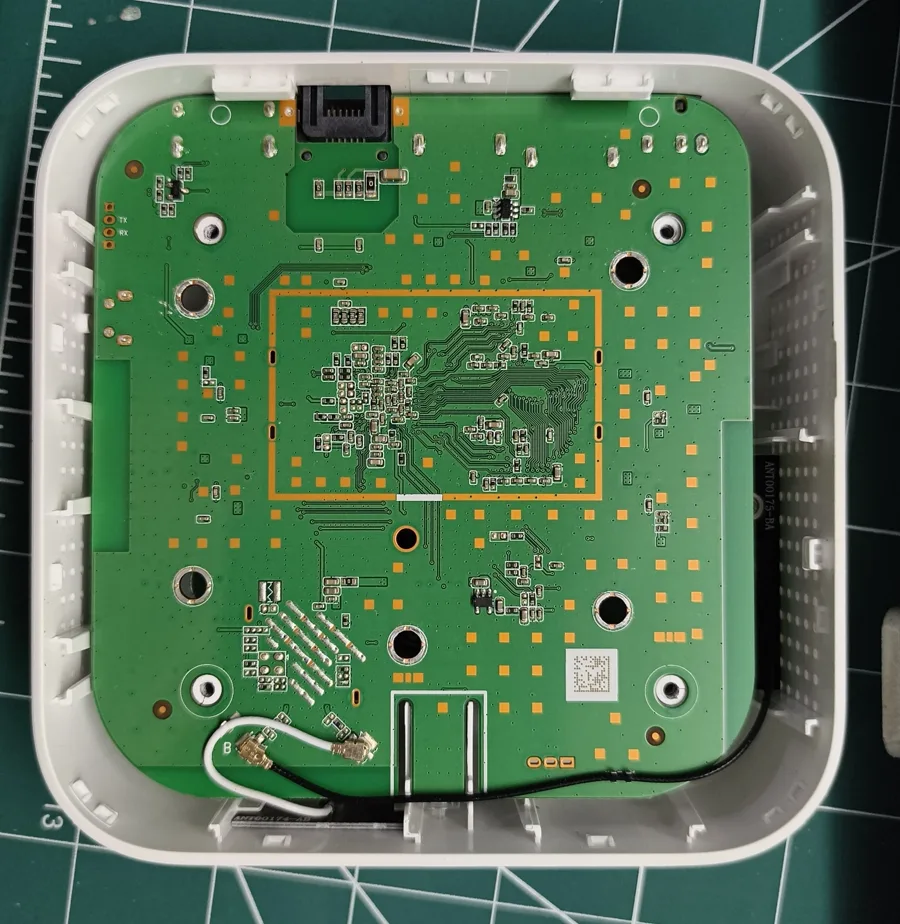
XDA: JIO STB ROM Change (JMC20211) Full hardware teardown gallery
Hidden settings & DNS documented on several models
Includes: hidden stock settings via the USB trick; custom DNS (NextDNS/AdGuard) for ad-blocking; hotspot mode; sleep-instead-of-shutdown to skip boot ads; router-level DNS for the whole home. On the newest TeleOS builds the developer menu opens but ADB toggles are removed from it.
India Broadband Forum: hidden options guide r/Jio: startup-ads workarounds
Model matrix
Every Jio STB model with public modding evidence
V = verified working · R = reported (not repeated) · C = author/repo claim · X = failed/locked · ? = no evidence
| Model | ADB sideload | Root | BL unlock | Custom ROM |
|---|---|---|---|---|
| JMSC200Av2 | V | V | V | ? |
| JMSB200A | V | ? | C | ? |
| JMSD200A yours | R×2 | lead | ? | X |
| JMSK200A | V | ? | ? | ? |
| JMSC200A (base) | 25.1.9 fails | ? | ? | ? |
| JMSC200A2_J | ? | ? | ? | ? |
| JHSC200 v1 | V* | C | X | pre-22 |
| JHSC200 v2 | C* | ? | ? | ? |
| JHSC200 v5 | X | X | X | X |
| JHSB200 | F* | ? | ? | ? |
| JHSB300 | ? | ? | ? | ? |
| JHSD200 v1 | old | old | old | pre-22 |
| JHSD200 v2 | old | ? | ? | pre-22 |
| JHSD200 v3 | V* | V | V | boot fail |
| JMC20211 | ? | ? | UART | boot fail |
| C200 / D200 (2021) | V | ? | old | V (MiBox port) |
* published JHS sideload route depends on a leaked CA certificate key — not recommended, no steps provided. "F*" = one same-model failure report (build 11.0.20, Nov 13) plus one guide-author support claim that relies on the leaked-key route. "old/pre-22" = 2021-2023 era methods on early hardware, mostly closed by secure boot now. "boot fail" = a custom image was flashed but never booted successfully.
Sources
Everything this guide is built from · checked 14 Nov 2026
GitHub, by stars
ilikechocopies/sideload-jiostb 381★ · main sideload guide JFC-Group/Housekeeping-PoC 271★ · original research + root + BL unlock ramneet4002/STB-Comprehensive-Guide 70★ · Ethernet variant + launcher RookieEnough/Jio-Datsugoku 22★ · beginner guide, JHS+JMS shreyask21/Jio_STB_Ads_Skip 10★ · boot-ad skip, 2024 bhatyassir/jio-stb-nas-server 9★ · box as NAS/Emby server nav9v/jio-airfiber-stb-teardown 7★ · hardware gallery dc-voltage JMSC200A report 5★ · forensic writeup RookieEnough/Datsugoku-GUI 4★ · desktop control app Massacre80/jio-stb-root-tools 2★ · JHSD200 v3 root, verified Aashish-Jha-11/jio-stb-adb-toolkit 2★ · honest all-models hub 4sudosu/JioSTB-JMSD200A-Unlock 1★ · JMSD200A-exact jadedFella/jhsc200-sideload JHSC200 path sideload-jiostb issue #24 JHSB200 owner reports, Nov 2026 Jio official factory-reset PDF covers JHSB200 MuthamizhanR/jiostb-zero-pc-unlock no-PC Termux method ShazuxD/device_jio_franklin TWRP tree, JHSD200 Otus9051/jiostb-extract 5★ · 2021 firmware extractor JFC-Group org router+STB ecosystem, 14 repos
XDA
How to enable ADB & sideload on Jio STB Sep 2021 article JIO STB ROM Change JMC20211 UART, Jun 2025, 100+ replies JHSC200 v5 unable to flash Jul 2025 — the lockdown thread Dev options open but ADB toggles missing Tele OS 11-2.94 Install third-party apps on JHSD200 2020, original thread
Note: Reddit reports say several older XDA unlock threads were taken down after Jio legal notices; two classic threads now show as closed/deleted.
Forums
TechEnclave: Jio STB Unlock Research JMSD200A teardown, Oct–Nov 2026 TechEnclave: generic Android TV on pre-2022 boxes India Broadband Forum: 2021 sideload thread incl. stock-revert confirmation IBF: hidden options, AdGuard DNS, hotspot Jan 2025 OnlyTech: sideload thread 2020–Nov 2026 replies OnlyTech: TeleOS rebrand + firmware rollouts
Videos
How to sideload apps and APK bundles on Jio Tele OS TVs Mar 2025 · Jio TVs, not STBs - method overlaps the hidden-settings path Install Mi-Box firmware in Jio Fiber STB 2022 · the old flash method - closed on current boxes, shown for context Jio 4K Set Top Box Unlock (Shorts) short-form · unverified claims, treat as a lead only Install GenieACS (TR-069 server) 2023 · background tooling for Route A, not Jio-specific
Checked 14 Nov 2026: we found no quality video walkthrough of the current TR-069 method for these exact models. Most "Jio STB unlock" videos are the dead 2021-22 flash trick or unrelated hardware (e.g. Indonesian B860H boxes). The written guides below are more current and more honest.
r/IndiaTech: stuck with this locked OS? May 2026, 109↑ r/IndiaTech: anyone flashed a custom OS? Mar 2026 — answer: no on new boxes r/Jio: startup ads workarounds Jul 2026 r/IndianGaming: how do I sideload Apr 2025 r/Jio: any way to sideload? Dec 2025 r/GadgetsIndia: Crunchyroll on Jio STB r/iptv_strong: JHSD200 v3 unlock request Jul 2026 — later solved, see root-tools
Articles & people
abhishek.log: Reclaiming the Jio STB 4 Nov 2026 technical writeup digit.in: sideload on Jio Tele OS Mar 2025, TV-verified AirFiber STB teardown site high-res board photos CVE-2024-31317 reference patched June 2024
Named researchers: Bihaan Sen, ak_0o7, Otus9051 (original PoC); Vishal Beniwal (u/ilikechocopies, Windows guide); Pavit Chhabra (@mesosan16 on X, JHS certificate research); Sandip Bhardwaj (ACS tooling); RealEngineer + aidanmacgregor (2021 XDA method).
Image credits
Box + sideload photos: XDA (2021). Hero illustration: abhishek.log. Board photos: nav9v/jio-airfiber-stb-teardown. Launcher screenshot: India Broadband Forum user ackr8 (2021). TeleOS screens: digit.in. All used for research documentation with source links.